Feature
AI patent figure drafting
The assistant turns a sketch, a photo or a description into black line art, and reference numerals are drawn from the signs you pin.
Drawn from what is on file
The assistant starts from a sketch or photo you uploaded, a written description, or an existing figure. The drawing arrives as a suggested figure for you to accept or reject.
Black ink on white paper
Every drawing comes out as black line art with hatched cut surfaces and no shading, colour or text. Perspective, exploded and cross-section views, flowcharts and block diagrams each follow their own conventions.
Revise a figure by asking
Ask the assistant to remove the numbering baked into a drawing and a proposed replacement arrives beside the current one. Flip between them under your pins to see that each still lands. Nothing changes until you approve.
Numerals drawn from the pins
Pin an element on the drawing and its numeral and leader line are placed on clear paper, sized to the stricter of the EPO and USPTO drawing rules. Renumber the element and every drawing follows.
- 75PCB
- 75afirst board of the PCB
- 75bsecond board of the PCB
- 77larger PCB components
- 80heater
- 300fluid flow path through the body
- 310duct
- 350side wall
- 700flow plate
- 710curved section
- 740slots in the flow plate
Signs checked against the text
The reference signs table shows where each sign is pinned, claimed and described. A sign pinned but never described, or one number on two parts, is flagged before an examiner finds it.
Figures in filing order
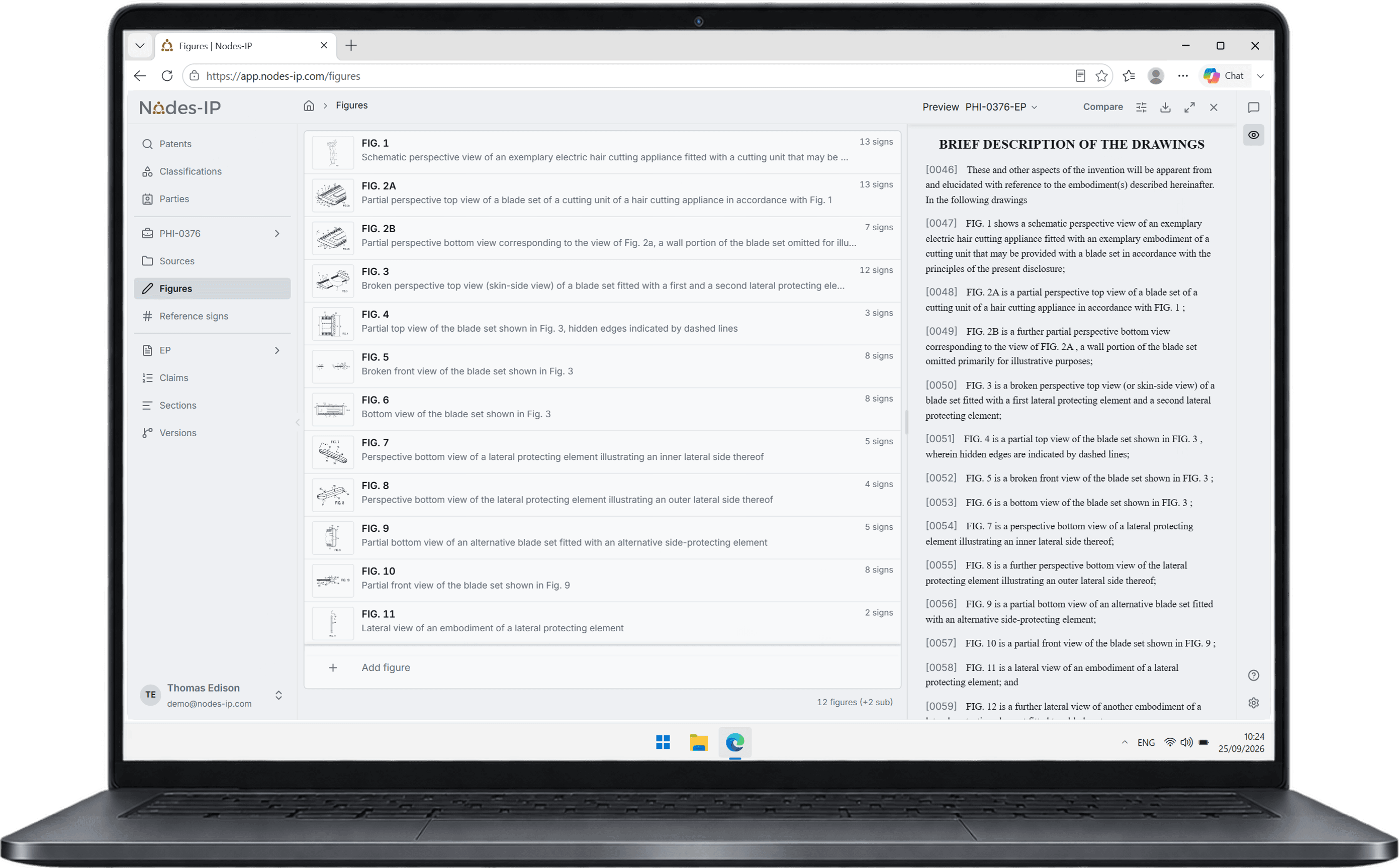
Drag a figure to a new place and its label and every reference to it follow, with sub-figures lettered. The preview and the Word export carry the same drawing sheets.
Try it now
A demo runs on a live matter, from the first search to the exported application.